
Travel around the world for free
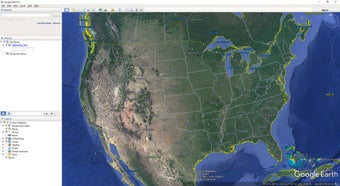
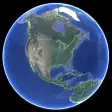
Google Earth is an interactive geographic tool that allows users to explore and navigate the entire planet through a 3D image of the Earth. Developed by Google, this innovative platform combines satellite images and geospatial data to visualize the world and travel through it without leaving home.
Top Recommended Alternative

Available for both PCs and mobile devices, as well as an enhanced version exclusively for PCs, this interactive experience of Google Earth allows you to fly and observe the planet virtually like you never imagined. It has a wide variety of valuable features for you to enjoy and explore.
Google Earth vs Google Earth Pro
Both Google Earth and Google Earth Pro offer very similar services, although there are some differences between the two platforms. The main difference is found in their platforms, as this tool can be used on both PCs and through its mobile application. Its Pro version is only accessible from a PC. It includes extra options such as the ability to create HD videos of a trip, make 3D measurements of all kinds of structures, and print higher-resolution images.
What is Google Earth used for?
Google Earth is a versatile and powerful tool, especially useful in the educational and tourism sectors. Essentially, its main function is to explore the planet through high-resolution and 3D images, turning your PC or mobile device into a true window to the outside world.
Among its main functions is Voyager, which allows you to create interactive tours and virtual trips specially designed for teaching. Other functions like Timelapse are of incalculable value for seeing changes in landscapes, buildings, and monuments over time. In addition to this, it is possible to take a look and explore possible tourist destinations, making it an ideal application for organizing a trip and making it much more productive.
A matter of use case
To expound further, choosing between the two available versions ultimately comes down to what you intend to use them for. If you just want to explore and see various parts of the world, whether it’s cities and landmarks or scenic locations, from the comfort of your PC, then the Standard Version will serve you well and is great for casual viewing.
View satellite images and terrain from above, or fly over cities in full 3D renderings for increased immersion and realism. You can also utilize basic tools for measuring distances and area. However, if you need a tool for research and professional purposes, the Pro version offers key advantages, including higher-res images and videos, as well as the option to import shapefiles, CSVs, and GIS layers.
As for tools, the Pro version lets you perform more complex calculations to support your project’s needs, supports visual layers, and you can plot down 3D paths with it. You can even view historical images to see gradual changes to the terrain and surroundings over time. On a side note, you will need powerful hardware and a fast internet connection to avoid lag and slowdowns while rendering.
Interface—Explore the world in 3D
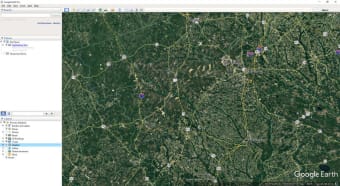
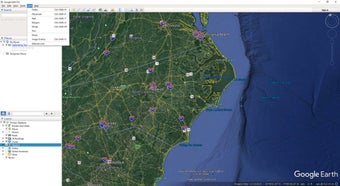
Navigating with Google Earth is a surprising and intuitive experience. As is usual with all Google products, using this interactive map platform is very simple. Simply enter a place, address, landmark, or coordinates in its search box and press enter. Then, use the mouse or swipe your finger on the touch screen to move and explore each of its environments in detail. It is, therefore, an incredibly useful tool for planning any trip or investigating anyplace out of your reach.
Generative design tools
Thanks to the integration of Delve, real estate, and sustainability professionals can now rely on Google Earth for generative design. Leveraging the familiar user interface, designers can define project sites, select from yield optimization, best-use analysis, or solar feasibility studies, and receive a range of design options. These options include building type, height, return on investments, and more, allowing for data-driven exploration of a project's environmental and financial impact.
Travel without limits
Google Earth is a convenient and versatile tool for all curious minds who want to know a little more about our world. With it, you can travel all over the planet thanks to its satellite images and explore any corner of the world from the comfort of your home. Whether it's to satisfy your curiosity or to learn more about the planet, Google Earth will surprise you.